Quick Start
This page provides the fastest way to check playback of WebRTC and LLHLS using OvenMediaEngine. For installation and detailed settings, please refer to other pages.
Run OvenMediaEngine
Run docker with the command below. OME_HOST_IP must be an IP address accessible by the player.
$ docker run --name ome -d -e OME_HOST_IP=Your.HOST.IP.Address \
-p 1935:1935 -p 9999:9999/udp -p 9000:9000 -p 3333:3333 -p 3478:3478 -p 10000-10003:10000-10003/udp -p 10000:10000/tcp \
ovenmedialabs/ovenmediaengine:latest
Check Status
You can check the docker container status with the following command:
$ docker ps -f name=ome
 CONTAINER ID   IMAGE                                 COMMAND                  CREATED              STATUS              PORTS                                                                                                                                                                                                                                                                                                                         NAMES
 c9dd9e56d7a0   ovenmedialabs/ovenmediaengine:latest  "/opt/ovenmediaengin…"   About a minute ago   Up About a minute   80/tcp, 3334/tcp, 4000-4005/udp, 10001-10010/udp, 0.0.0.0:1935->1935/tcp, :::1935->1935/tcp, 0.0.0.0:3333->3333/tcp, :::3333->3333/tcp, 0.0.0.0:3478->3478/tcp, :::3478->3478/tcp, 0.0.0.0:9000->9000/tcp, :::9000->9000/tcp, 0.0.0.0:9999->9999/udp, :::9999->9999/udp, 0.0.0.0:10000->10000/udp, :::10000->10000/udp, 0.0.0.0:10000->10000/tcp, :::10000->10000/tcp   ome
You can view the log with the command below. This is important because you can check the version of OvenMediaEngine that is running.
$ docker logs ome -f
[2023-03-06 08:01:24.810] I [OvenMediaEngine:1] Config | config_manager.cpp:239  | Trying to set logfile in directory... (/var/log/ovenmediaengine)
[2023-03-06 08:01:24.810] I [OvenMediaEngine:1] Config | config_manager.cpp:261  | Trying to load configurations... (origin_conf/Server.xml)
[2023-03-06 08:01:24.816] I [OvenMediaEngine:1] OvenMediaEngine | banner.cpp:23   | OvenMediaEngine v0.15.1 () is started on [ab3995acafd4] (Linux x86_64 - 5.13.0-44-generic, #49~20.04.1-Ubuntu SMP Wed May 18 18:44:28 UTC 2022)
...
Run OvenPlayer Demo
$ docker run -d --name ovenplayerdemo -p 8090:80 ovenmedialabs/ovenplayerdemo:latest
Check Status
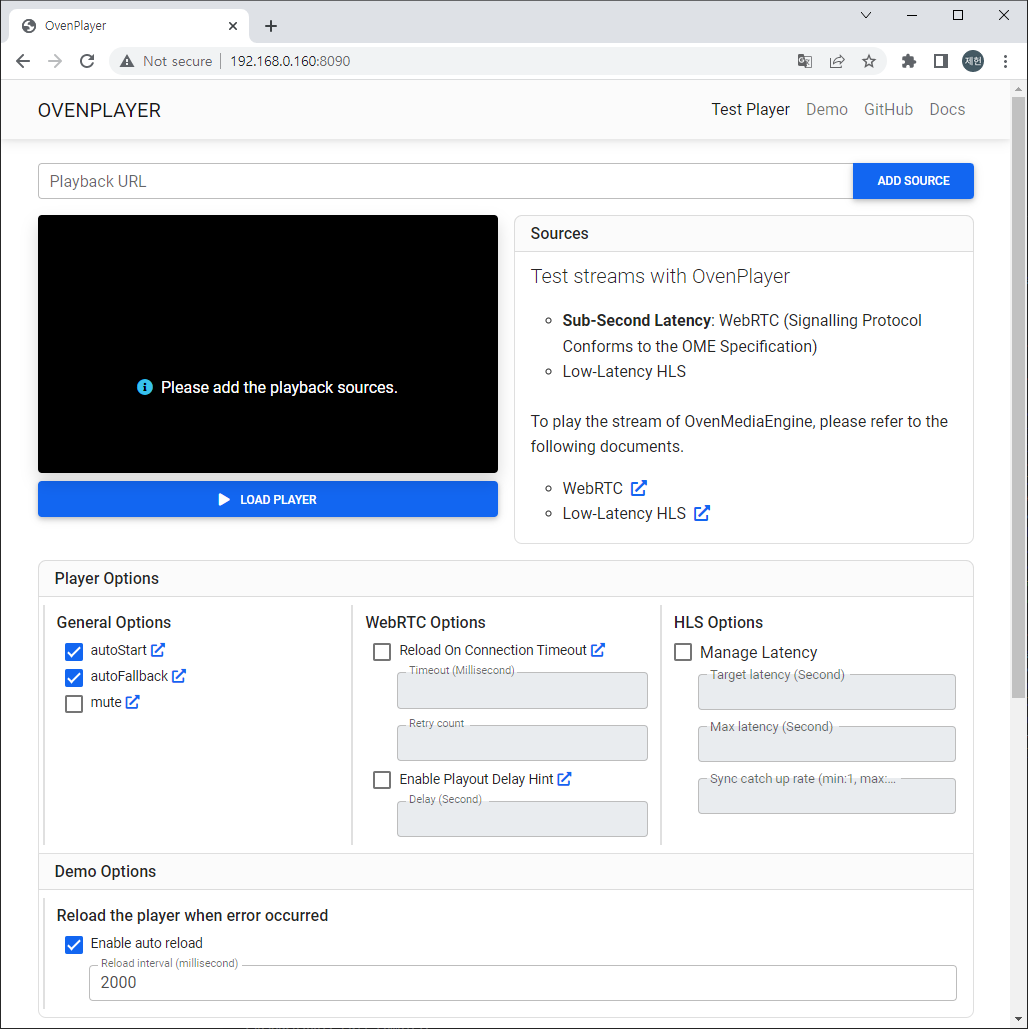
You can access the OvenPlayerDemo docker container with a browser as shown below.
http://Your.Docker.Host.IP:8090/
Publishing
Publish your live stream to OvenMediaEngine using a live encoder like OBS.
Ingest URLs
RTMP - rtmp://Your.Docker.Host.IP:1935/app/stream
SRT - srt://Your.Docker.Host.IP:9999?streamid=default/app/stream
WHIP - http://Your.Docker.Host.IP:3333/app/stream?direction=whip
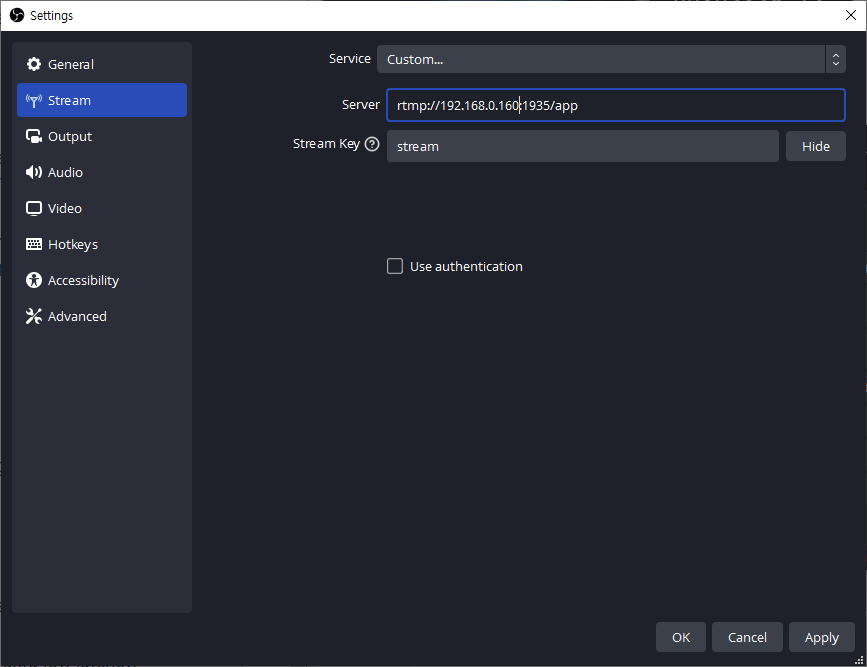
The RTMP publishing address is :
Server rtmp://{Your Docker Host}:1935/app
Stream Key stream
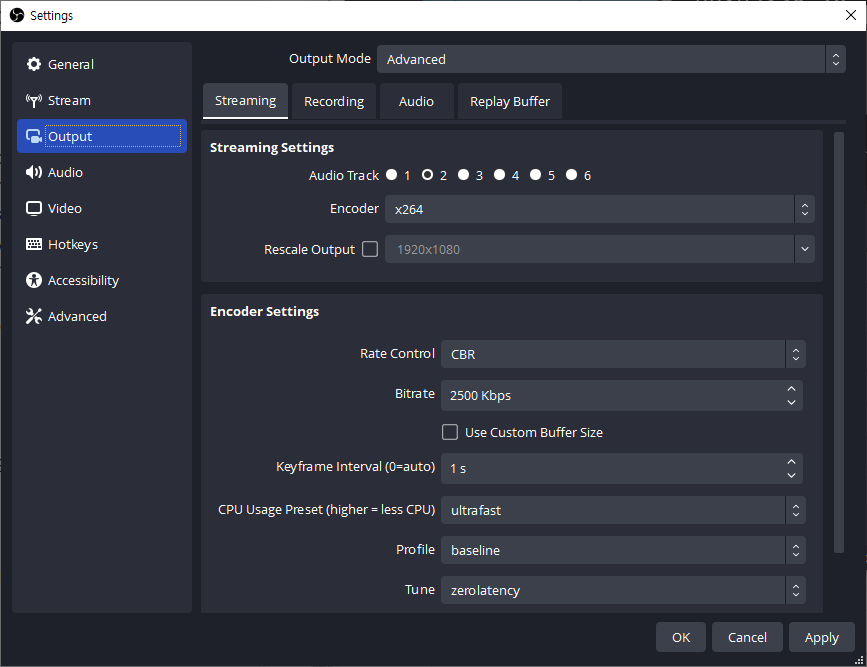
The settings below are recommended for ultra-low latency.
| Setting | Value |
|---|---|
| Keyframe Interval | 1s (DO NOT set it to 0) |
| CPU Usage Preset | ultrafast |
| Profile | baseline |
| Tune | zerolatency |
Playback
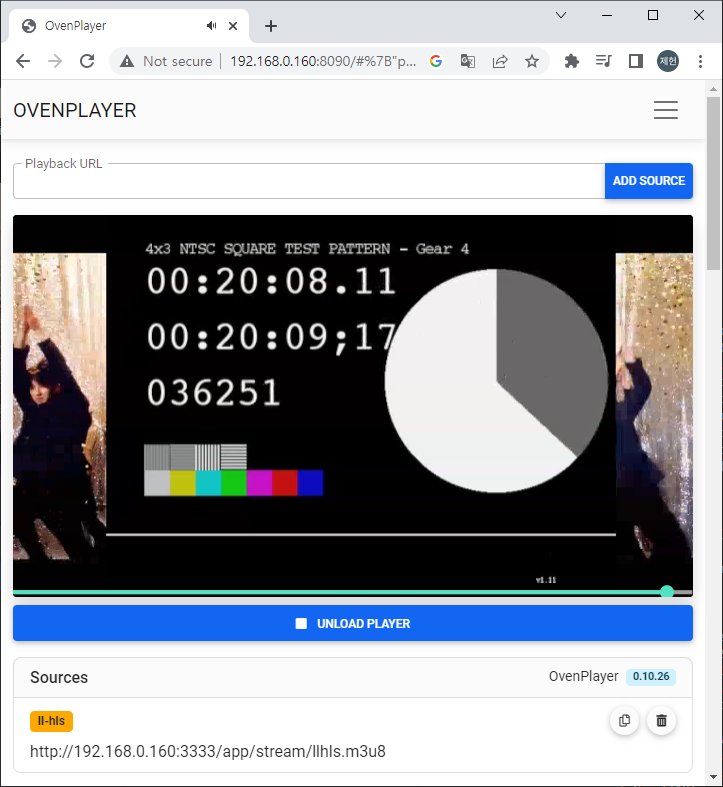
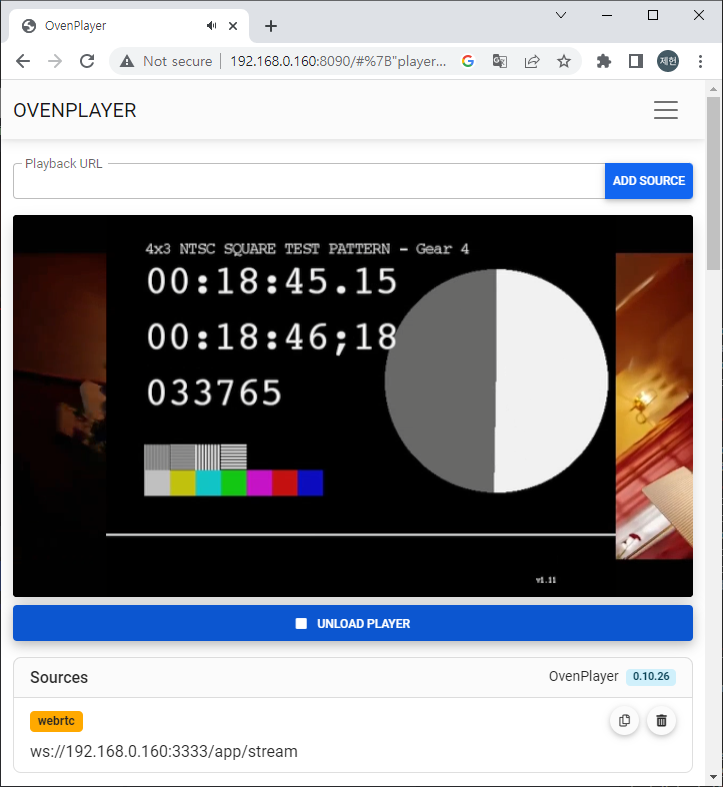
Open the installed OvenPlayer Demo page in your browser.
http://{Your Docker Host}:8090/
WebRTC Playback
Add ws://{Your Docker Host}:3333/app/stream to the Playback URL and click the ADD SOURCE and LOAD PLAYER button to play the live stream with WebRTC.
LLHLS Playback
Add http://{Your Docker Host}:3333/app/stream/llhls.m3u8 to the Playback URL and click the ADD SOURCE and LOAD PLAYER button to play the live stream with LLHLS.