Your First Streaming
After completing the initial setup, follow this guide to publish a live stream and verify playback within minutes.
The URLs in this guide use the default virtual host (default) and application (app) configured after a fresh installation. The stream name (stream) can be any name you choose.
Publishing
Publish a live stream to OvenMediaEngine Enterprise using a live encoder such as OBS.
RTMP: rtmp://Your.Host.Address:1935/app/stream
SRT: srt://Your.Host.Address:9999?streamid=default/app/stream
WHIP: http://Your.Host.Address:80/app/stream?direction=whip
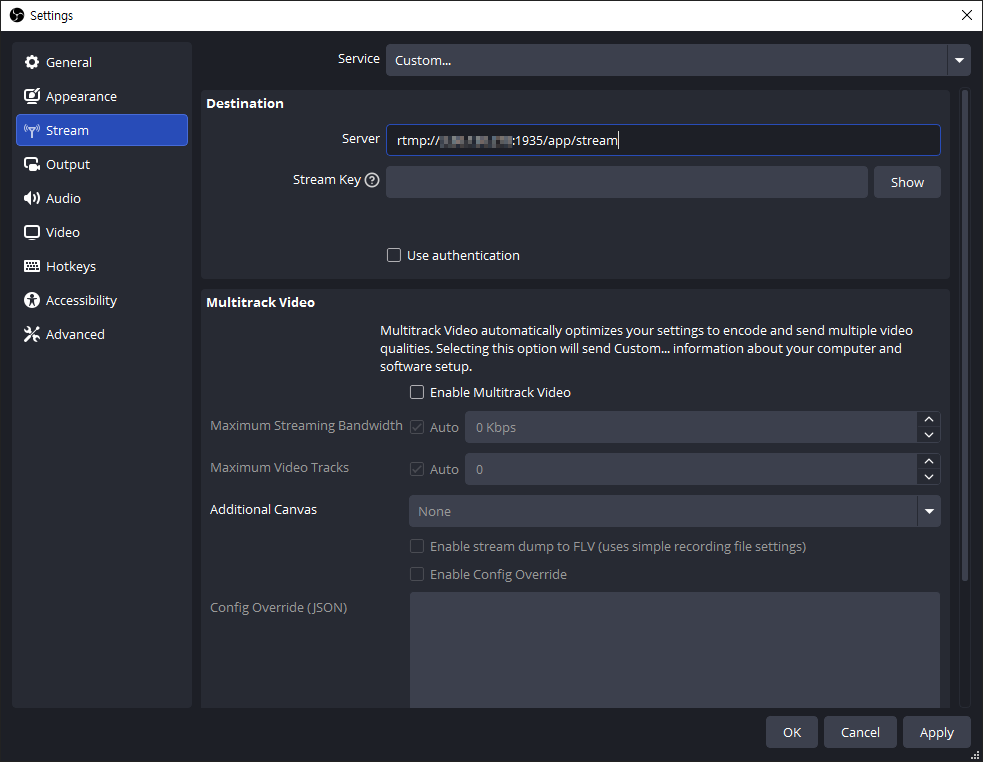
To publish via RTMP with OBS, configure the stream settings as follows. Under [Service], select [Custom], then enter the RTMP ingest URL in the Server field:
Server rtmp://Your.Host.Address:1935/app/stream
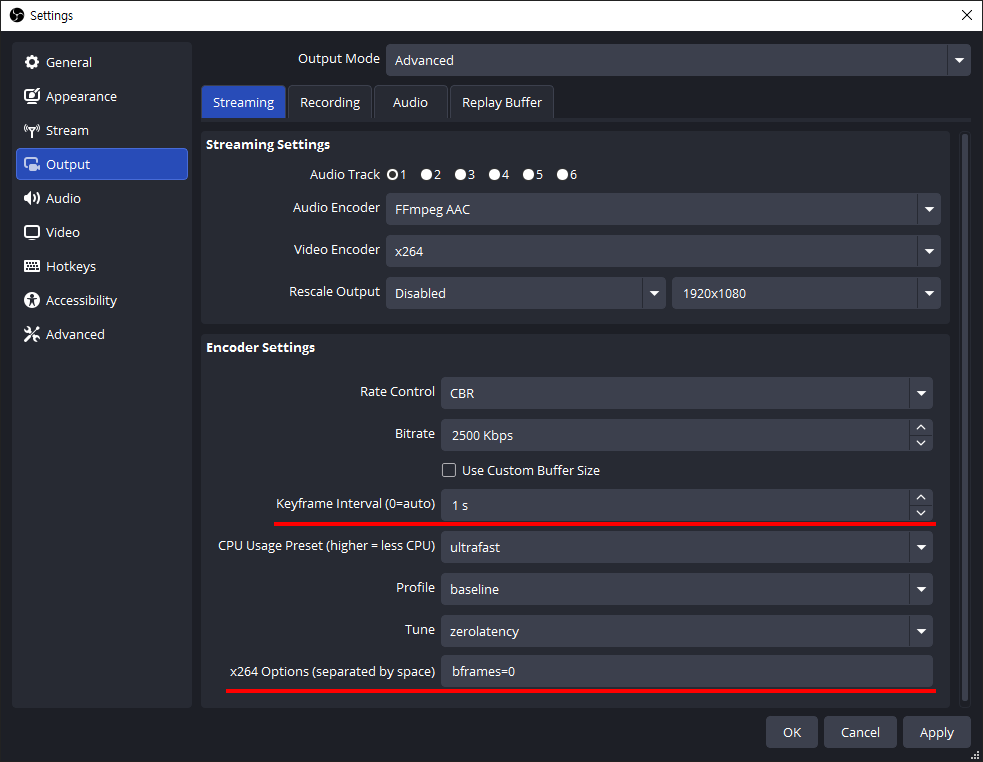
The following output settings are recommended for ultra-low latency:
| Setting | Value |
|---|---|
| Keyframe Interval | 1s (DO NOT set it to 0) |
| CPU Usage Preset | ultrafast |
| Profile | baseline |
| Tune | zerolatency |
| B-frames | 0 |
Setting B-frames to 0 helps prevent WebRTC playback stuttering.
Playback
To play back in an external player, use the egress URLs below.
WebRTC (supported by OvenPlayer): ws://Your.Host.Address:80/app/stream/master
LLHLS: http://Your.Host.Address:80/app/stream/master.m3u8
HLS: http://Your.Host.Address:80/app/stream/ts:master.m3u8
SRT: srt://Your.Host.Address:9998?streamid=default/app/stream/master
Playback via Web Console
OvenMediaEngine Enterprise includes a built-in Web Console that lets you monitor and play back streams directly from your browser without any additional tools.
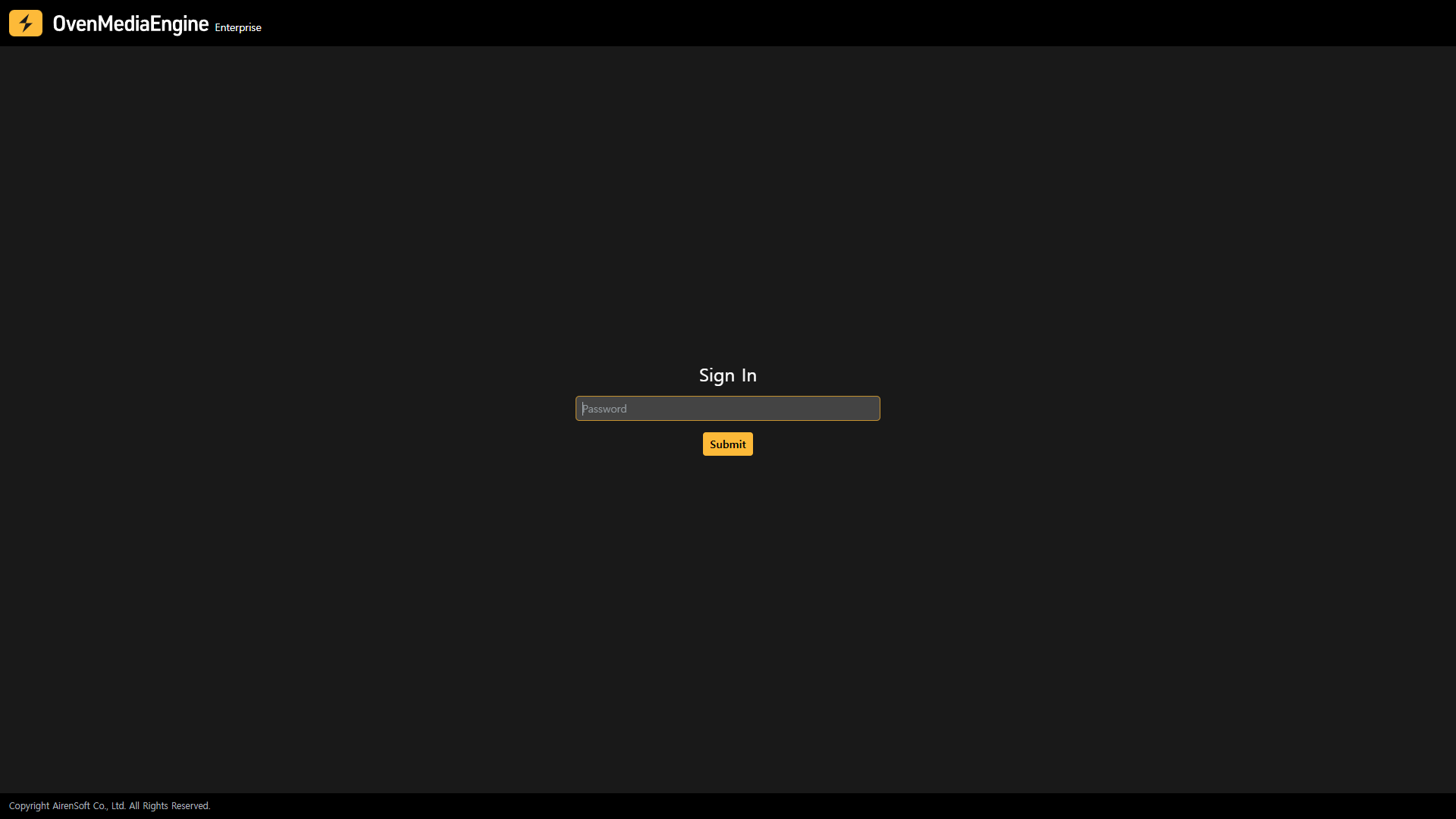
Open the Web Console at http://Your.Host.Address:8080 in your browser. Sign in using the default password ovenstudio.
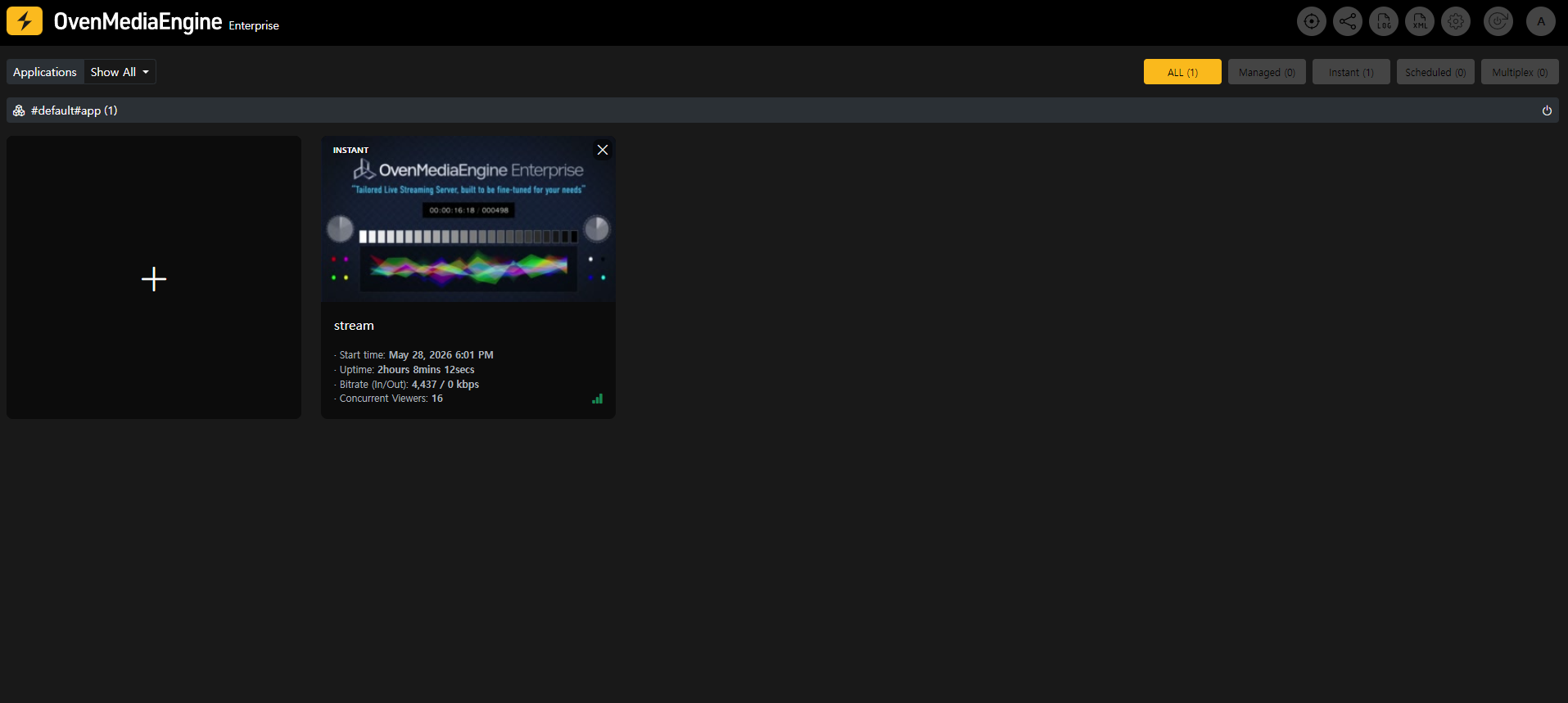
Once the stream is being published, it will appear in the stream list.
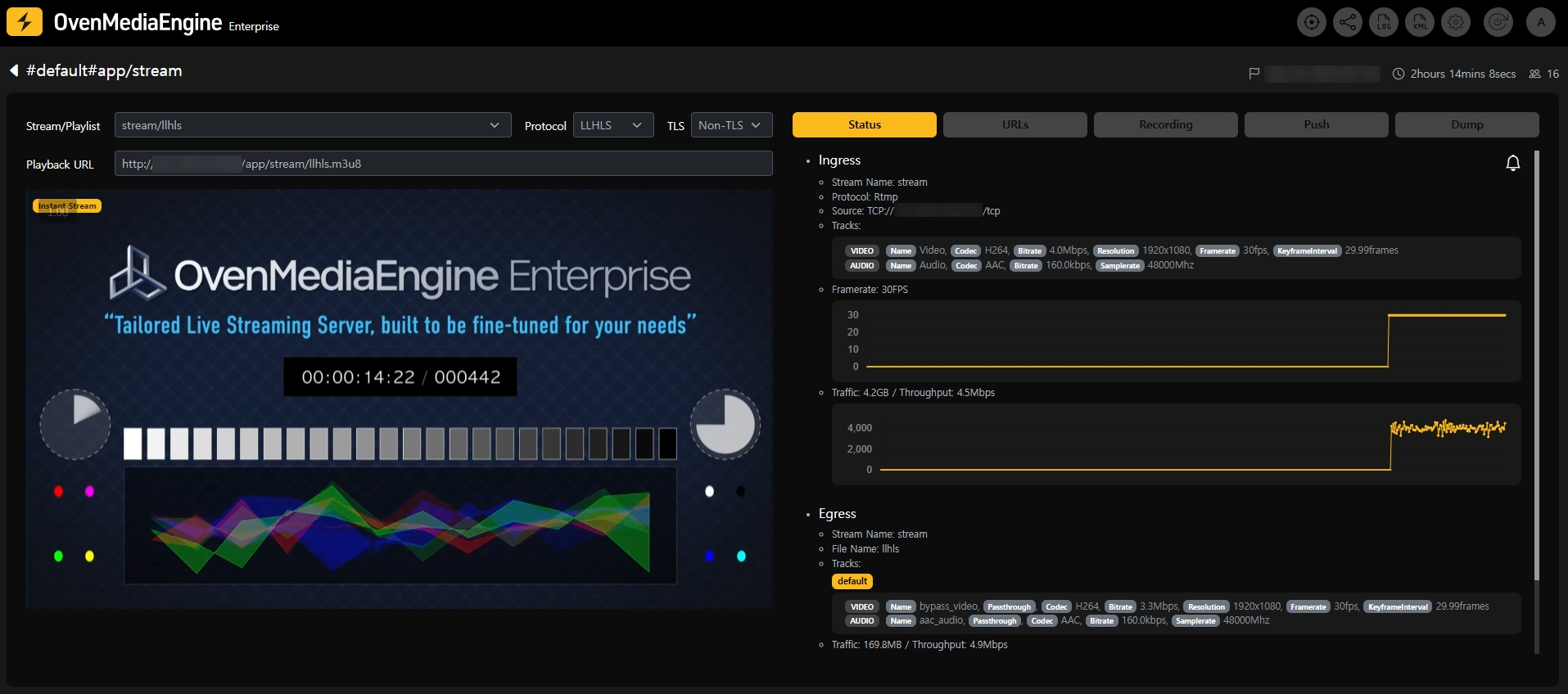
Select the stream to open the Stream Monitoring tab. Select a protocol (WebRTC or LLHLS) and set TLS to Non-TLS if TLS has not yet been configured, then click Watch to play the stream in the embedded player.
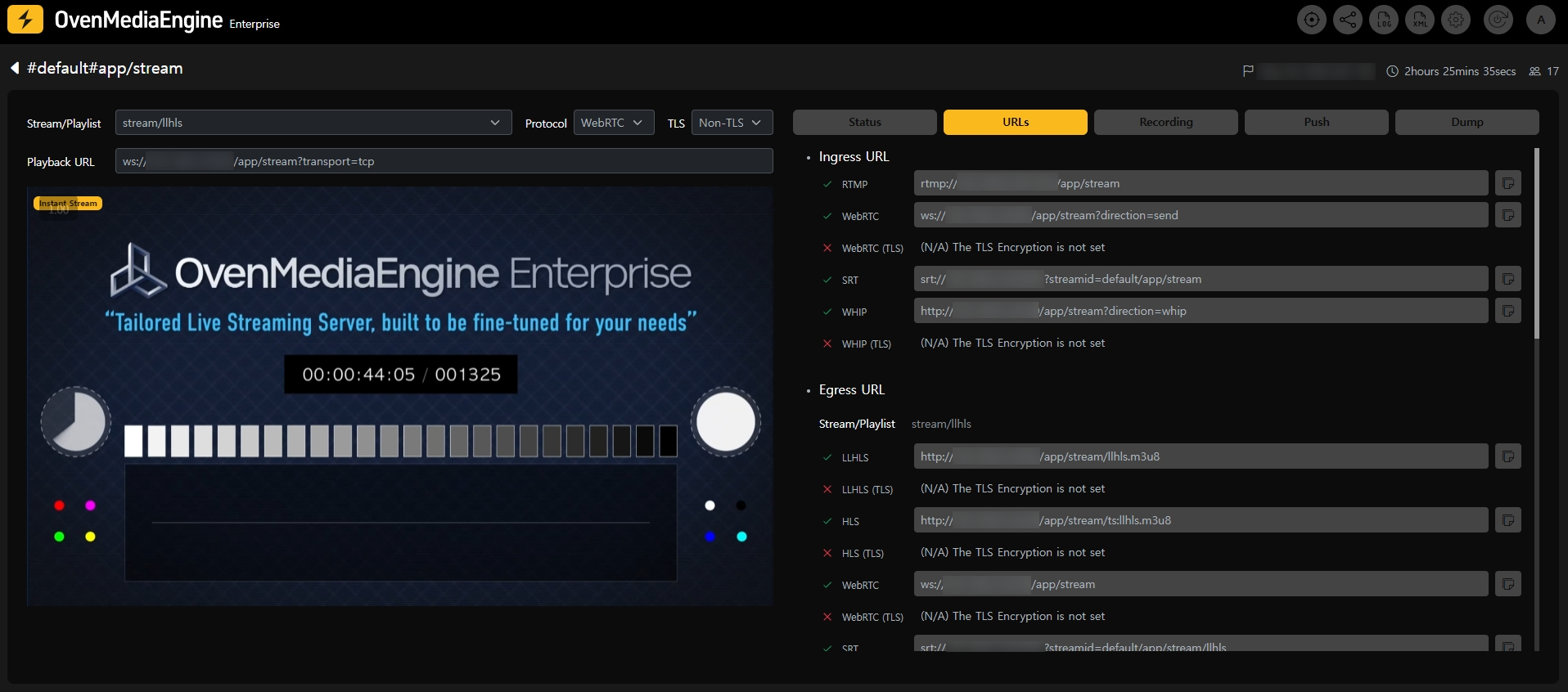
The URLs tab in the Web Console lists all ingress and egress URLs for the stream.
Next Steps
- Going Secure with TLS: Enable HTTPS for secure WebRTC and HLS playback in browsers.
- Adaptive Bitrate Streaming: Configure adaptive bitrate streaming for multiple quality renditions.