Adaptive Bitrate Streaming
Adaptive Bitrate Streaming (ABR) encodes a single ingest stream into multiple quality renditions and delivers them to players, which automatically switch between renditions based on network conditions.
By default, OvenMediaEngine Enterprise operates in PassThrough mode, delivering the input stream without transcoding. To enable ABR, transcoding must be configured.
Configuration Methods
ABR can be configured manually by editing Server.xml directly. For details, see ABR. An easier way is to use the Quick ABR Setup page in the Web Console, which applies predefined encoding presets without editing configuration files manually.
Configure ABR via Web Console
1. Open Quick ABR Setup
Sign in to the Web Console at http://Your.Host.Address:8080, then navigate to Quick ABR Setup from the left menu.
On the page, select the Virtual Host, Application, and Output Profile to configure. The playlist filename (master) shown here is the one that will be updated.
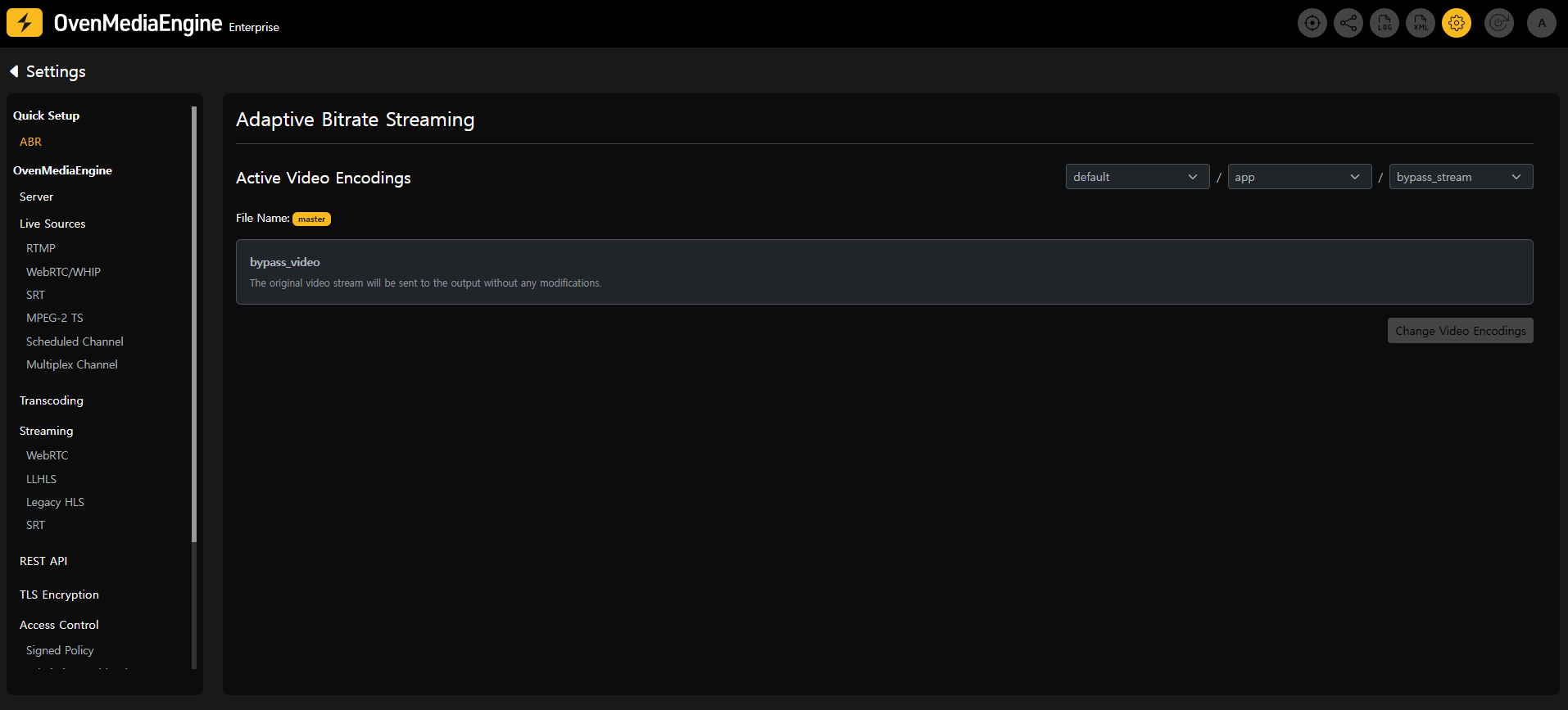
2. Select video encoding presets
Click Change Video Encoding. In the popup, select the desired quality renditions and click Apply.
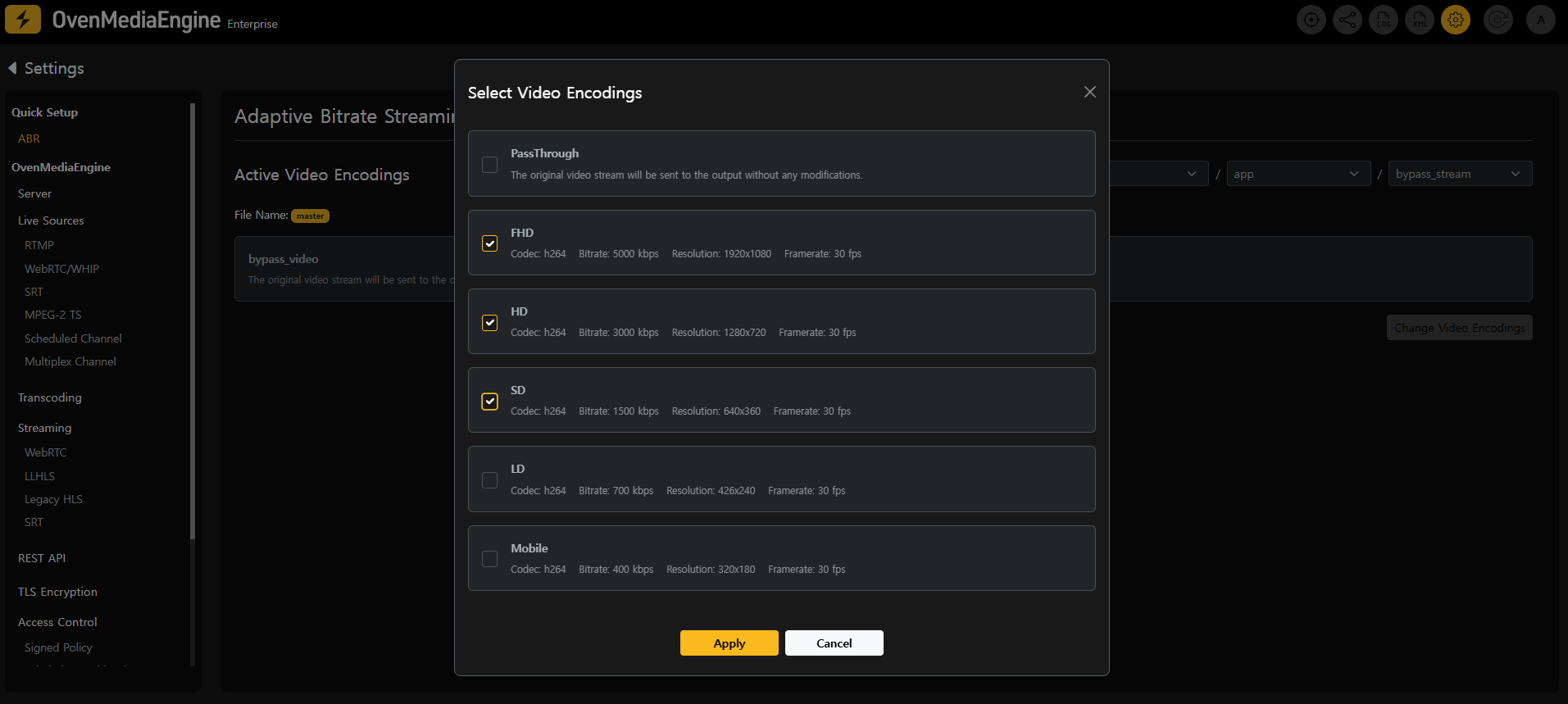
Once modified, the Update Configuration button in the top-right corner will be enabled.
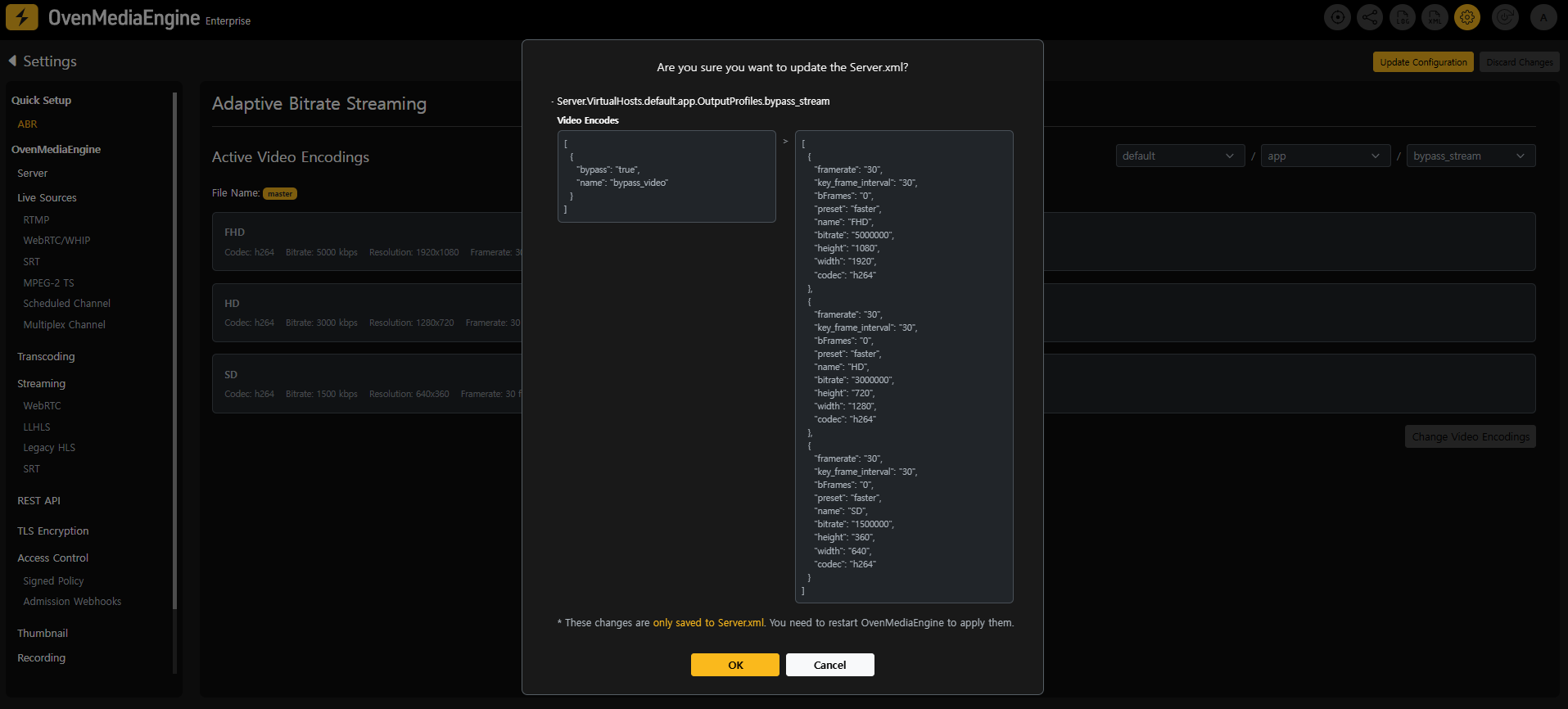
3. Apply the configuration
Click Update Configuration to review the changes, then click OK to write the updated settings to Server.xml.
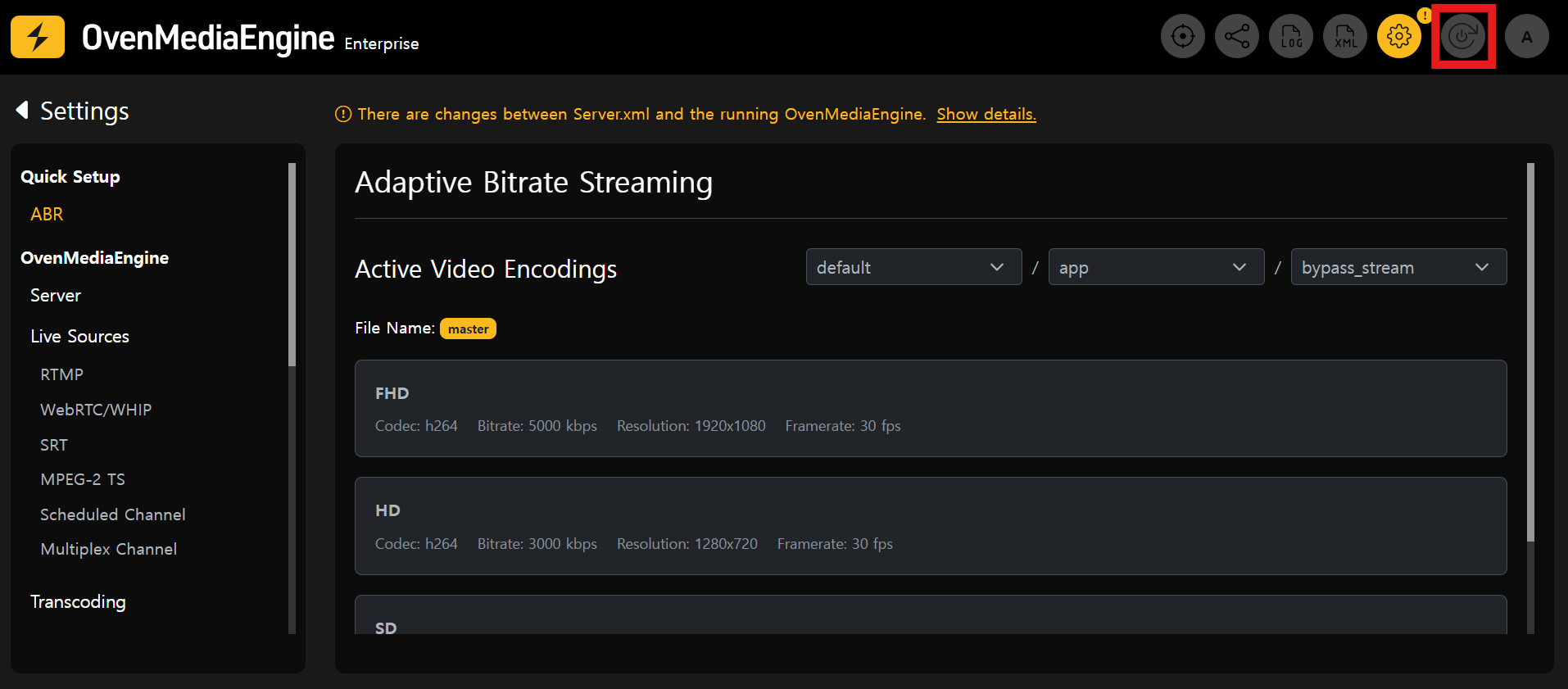
4. Restart OvenMediaEngine
Click Restart OvenMediaEngine in the top-right corner to apply the new ABR configuration.
During the restart, any active streaming will be temporarily interrupted.
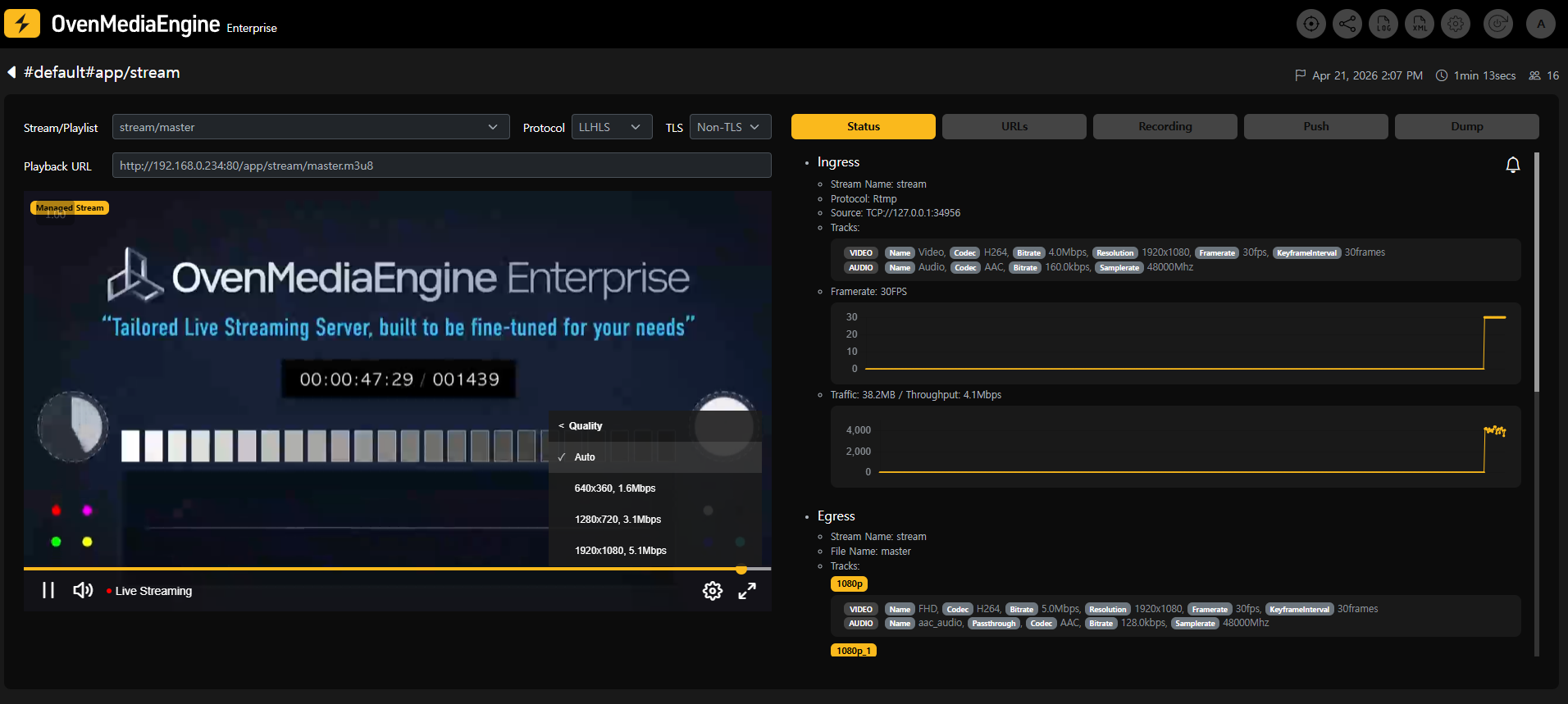
5. Verify ABR playback
Publish a stream and play back the master playlist to confirm ABR is working. With ABR enabled, the player will automatically switch renditions based on available bandwidth.
Next Steps
- What's Next: Explore the full capabilities of OvenMediaEngine Enterprise.